Disclosure: This post contains affiliate links. If you purchase through these links, I may earn a commission at no extra cost to you.
A red light, a double-beep, and a wall of commuters flowing around you while your card sits at almost zero: that is the Seoul subway gate at its most unforgiving, and it caught me out after a long day in Gangnam. Sorting out how to recharge t-money card in korea before you need it, rather than mid-panic, is what keeps that moment from ever being yours. Below is every top-up method, including the one overseas visitors always trip over.
If you’d rather watch the whole top-up process than read it step by step, here’s the T-money routine in about a minute and a half.
Quick Answer: Where and How to Recharge
For those in a hurry, here’s the short version. A physical T-Money card tops up with cash. Paying by card depends on your phone and the card you carry.| Location | Payment Method | Notes for Travelers |
|---|---|---|
| Convenience Stores (GS25, CU, 7-Eleven, etc.) | Cash Only (Korean Won) | Easiest and most common method. Just hand your card and cash to the cashier. |
| Subway Station Machines | Cash Only (Korean Won) | Available in every subway station. Has an English language option. |
| Mobile Tmoney (iPhone) | Mastercard, Amex, UnionPay or JCB in Apple Pay | Open to visitors since 2026 on iPhone XS or later. Visa support isn’t confirmed. Subway and bus only. |
| WOWPASS Card | Foreign Credit/Debit Card | Load WOWPASS with an overseas card in its app, then move money onto its T-Money side in the same app. |
Cash Recharge at Convenience Stores
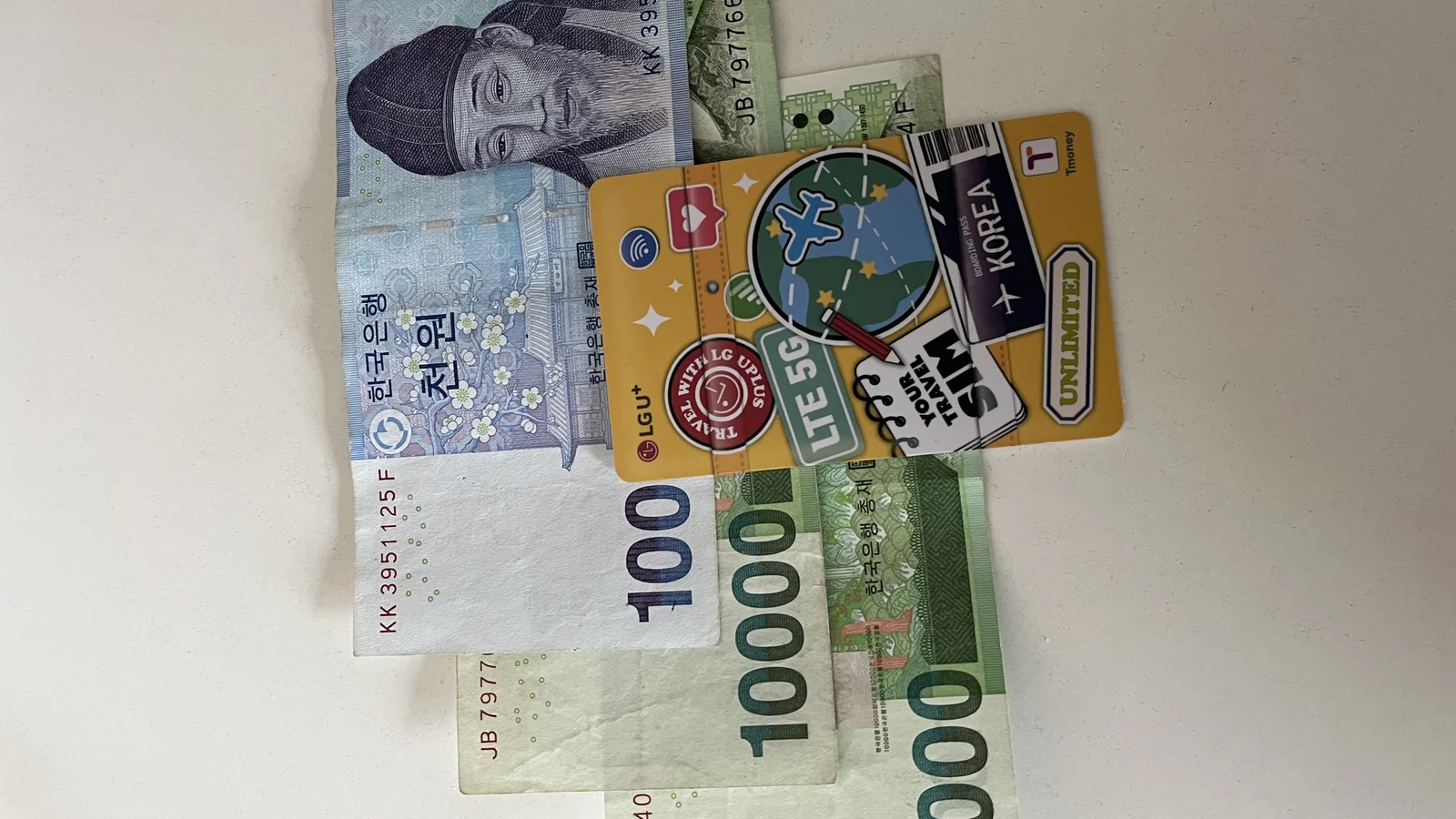
This is my go-to method and the one you’ll likely use most often. Korea’s convenience stores (편의점, pyeonuijeom) are on almost every corner, making them incredibly accessible. The main chains are GS25, CU, 7-Eleven, and Emart24.The process is wonderfully simple:- Walk up to the counter with your T-Money card and the cash you want to add.
- Hand them to the cashier and say, “T-money chungjeon-hae juseyo” (티머니 충전해 주세요), which means “Please recharge my T-money.” Honestly, just handing them the card and cash is usually enough; they’ll know exactly what you want.
- The cashier will place your card on a small reader, type in the amount, and in a few seconds, it’s done. They’ll hand you back the card and a receipt.
- Cash Only: This is the most important rule. You cannot use your credit card—foreign or domestic—to recharge a standard T-Money card at a convenience store. I learned this the hard way once, trying to top up with my Australian bank card after a big shopping trip left me without cash. It was a firm but polite “no.”
- Any Amount: You can recharge in increments of ₩1,000. So whether you need ₩5,000 or ₩50,000, they can do it.
- Check Your Balance: The receipt will show your new balance, or you can ask the cashier, “Jan-aek-i eolma-yeyo?” (잔액이 얼마예요?) to check how much is left.
Cash Recharge at Subway Vending Machines
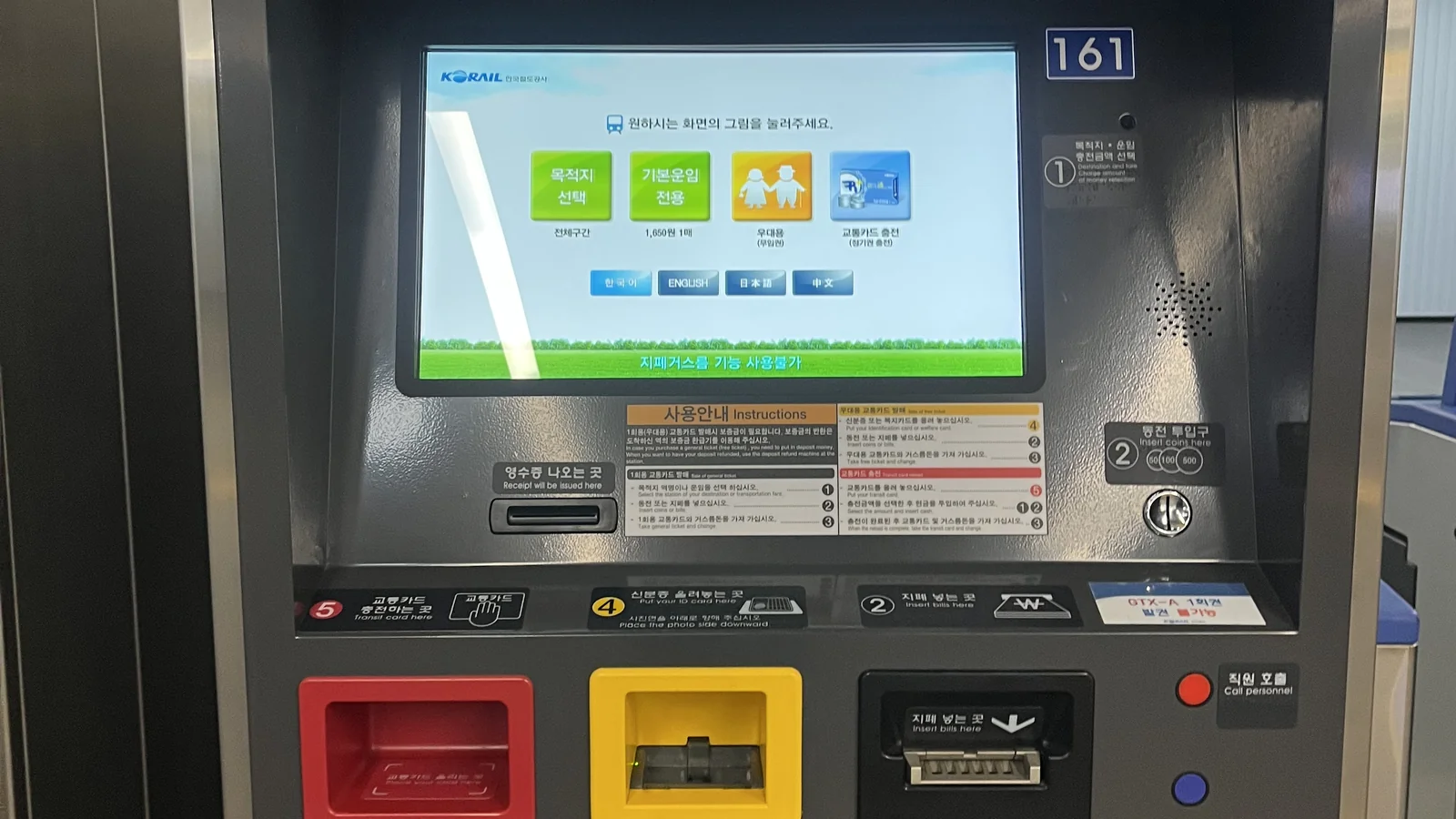
If you find yourself inside a subway station with a low balance, the ticket vending and recharge machines are your best friend. They look a bit intimidating, but they are designed for everyone, including tourists.Here’s how to use them:- Find the Machine: They are usually located near the ticket gates. Look for a machine that says “Card Reloading, Ticket Vending & Fare Adjustment.”
- Select Your Language: Tap the screen and you’ll see language options in the top right corner. Select “English” (or Chinese, Japanese).
- Choose the “Reloading” Option: The third button on the right is typically the one you want. It will have a T-Money logo and say “Reloading the transit card.”
- Place Your Card: An image on the screen will show you where to place your T-Money card. It’s a small tray or slot labeled “Place card here.” Don’t remove it until the process is complete.
- Select the Amount: The screen will display buttons for various amounts (e.g., ₩10,000, ₩20,000, ₩50,000). Choose how much you want to add.
- Insert Cash: The machine accepts ₩1,000, ₩5,000, ₩10,000, and sometimes ₩50,000 notes. It also takes coins. Insert your money into the appropriate slots.
- Wait for Confirmation: The machine will process the transaction and display “Reloading is completed.” You can now take your card and any change.
Why Foreign Credit Cards Don’t Work (And the Workaround)
If you’re used to Sydney’s Opal card, you might expect to top up T-Money with a Visa too. With a physical T-Money card, that doesn’t work: convenience stores and subway machines take Korean won cash for top-ups.So, what can you do if you prefer using a card over carrying wads of cash?Another Option: The WOWPASS CardThe WOWPASS card is a game-changer for tourists. It’s a prepaid card designed specifically for foreigners that combines three functions into one:- Prepaid Debit Card: You can load it with an overseas card in the WOWPASS app, or with foreign cash at WOWPASS machines, and spend the Korean Won balance across Korea.
- T-Money Transit Card: It has a built-in T-Money chip for subways, buses, and taxis.
- Currency Exchange: The machines act as high-tech currency exchangers with great rates.
💳 Hate carrying cash? WOWPASS can be loaded with an overseas card in its app. It pays for shopping, and its built-in T-Money chip gets you through the gates.
→ Reserve a WOWPASS card on Klook before you land (affiliate link)
One limit: money you move to the T-Money side can’t be moved back into your WOWPASS balance, so move only what you expect to spend on fares.
Mobile T-Money and the App Recharge Option
For those of us who live on our phones, Mobile T-Money seems like the dream. Your phone becomes your transit card, and you can recharge it directly through an app. It’s slick, convenient, and what most Koreans use. Since March 2026, visitors with an iPhone can use it too.Here’s the breakdown:- How it Works: On an iPhone, the official MobileTmoney app adds a T-Money card to Apple Wallet. You tap your iPhone or Apple Watch at subway gates and on buses, just like a physical card.
- What Visitors Need: An iPhone XS/XR or later on iOS 17.2 or later, and a Mastercard, American Express, UnionPay or JCB card in Apple Pay. Choose the “Foreigner” option in the app, so no Korean sign-up is needed. Visa isn’t on the supported list, so don’t count on it. Top up inside the MobileTmoney app; topping up inside the Wallet app itself needs a Korean Hyundai Card.
- What It Can’t Do: It covers the subway and buses, not convenience-store or online payments. Leftover balance is refunded only through the app, to a bank account in your own name. Check the refund conditions before you top up a large amount. I couldn’t find an official visitor option for Android phones.
Apple Pay, Kakao Pay, and Other Mobile Payments
With the rise of mobile wallets, it’s natural to wonder if you can use them for your T-Money needs.Apple Pay Apple Pay launched in Korea in 2023, and a T-Money card can now sit in Apple Wallet, added through the MobileTmoney app (see Tmoney’s official Apple Pay guide). Visitors top up in that app with a Mastercard, American Express, UnionPay or JCB card. Topping up inside the Wallet app needs a Korean Hyundai Card. Apple Pay still can’t top up a physical T-Money card at a convenience store or subway machine.Kakao Pay Kakao Pay is a dominant mobile payment service in Korea, deeply integrated into the popular KakaoTalk messaging app. As you can see on the Kakao Pay Official site, it’s incredibly versatile for domestic users. They also offer a mobile transit card, but I couldn’t confirm that visitors can set it up without a Korean account, so I wouldn’t plan around it.The takeaway: an iPhone with a supported card can now stand in for a physical card on the subway and buses. Otherwise, a physical T-Money card topped up with cash is the reliable choice, and WOWPASS can be another option.Minimum and Maximum Recharge Amounts
Understanding the limits of your T-Money card can help you plan your budget and avoid any issues.- Minimum Recharge: The smallest amount you can add to your card is ₩1,000.
- Recharge Increments: You must recharge in units of ₩1,000. You can’t add ₩5,500, for example.
- Maximum Balance: A single T-Money card can hold a maximum balance of ₩500,000. It’s highly unlikely you’d need this much for a short trip, but it’s good to know the ceiling. I usually keep my balance around ₩20,000-₩30,000 and top up as needed.
- Purchase Price: The card itself costs between ₩2,500 and ₩4,000, depending on the design. This is a one-time fee for the physical card and does not count towards your travel balance. You can find them everywhere, as I detail in my guide on where to buy T-Money cards.
Why You Cannot Top Up T-Money from Your Couch in Sydney
As someone who constantly travels between Sydney and Seoul, the differences in our transit card systems are stark. In Australia, whether I’m using my Opal card in Sydney or a Myki in Melbourne, the process is heavily digitized. I can log into an app or website, link my Australian debit card, and top up my balance from my couch. I can even set up an auto-recharge, so the balance never drops below $10.This convenience is something I miss when preparing for a trip to Korea. A physical T-Money card can’t be topped up online from overseas. It’s still cash-based: you need Korean won in hand, at a machine or a cashier in Korea.This means a little more planning is required. Before I leave Sydney, I make sure I have some cash ready for my arrival, or I plan to hit an ATM as soon as I land at Incheon. I can’t just pre-load my card and be ready to go. It’s a small, analogue step in an otherwise hyper-digital country, and it’s a crucial difference for first-time visitors to be aware of. It feels a bit old-school, but it’s reliable and has worked for decades.FAQ
Can I use my foreign credit card to recharge my T-Money card?
Not on a physical T-Money card: convenience stores and subway machines take Korean won cash only. On an iPhone, the MobileTmoney app adds a T-Money card to Apple Wallet, and visitors can top it up with a Mastercard, American Express, UnionPay or JCB card. Visa support is not confirmed. WOWPASS can be another option: load it with an overseas card in the WOWPASS app and move money onto its T-Money side. Check the card and phone requirements in each app first.What is the minimum amount I can add to my T-Money card?
The minimum recharge amount is ₩1,000. You can add funds in increments of ₩1,000 up to a maximum card balance of ₩500,000.What do I say to the cashier at a convenience store?
The easiest way is to hand them your T-Money card and the cash. They will understand immediately. If you want to be polite, you can say “T-money chungjeon-hae juseyo” (티머니 충전해 주세요), which means “Please recharge my T-money.”Can I recharge my T-Money card at the airport?
Yes, you can. Incheon International Airport has convenience stores (like CU and GS25) and subway station machines right at the Airport Railroad (AREX) station where you can recharge your card as soon as you arrive.What happens if the recharge machine takes my money but doesn’t load my card?
This is very rare, but if it happens, don’t panic. The machines have a phone number for assistance, and there is usually a station attendant’s office nearby. You can go there, explain the situation (using a translation app if needed), and they will help you resolve the issue. Always take the receipt if one is printed.Final Thoughts
Navigating a new country’s transit system can feel daunting, but recharging your T-Money card in Korea is refreshingly simple once you know the rule for a physical card: bring cash. iPhone users with a supported card now have a cash-free option, and for everyone else, the sheer number of convenience stores and subway machines means you’re never more than a few steps away from a top-up point.My best advice is to break a larger bill at the airport or your first convenience store stop, and always try to keep at least ₩10,000-₩20,000 in cash on you for recharges and street food. Embrace this small, analogue part of your journey. It connects you to the daily rhythm of the city in a way that a seamless app transaction sometimes can’t. Happy travels!✨ Unnie’s Quick Picks for a Smoother Trip
🚄 NEXT DESTINATION: Once your T-Money card is loaded, you’re ready to explore! Dive deep into the city’s amazing transport network with my complete Seoul Subway Guide 2026.- The Foreign Card Solution: With an iPhone and a supported card, Mobile Tmoney skips cash for transit. WOWPASS can be another option for paying with an overseas card.
- Stay Online Instantly: Unlimited mobile data is essential for maps, translation, and staying connected.
- Master the Basics: Before you go, make sure you’ve read the complete guide to the T-Money card to understand all its features.
Related Reads
- T-Money Card Korea 2026: The Complete Guide Start here. This is the ultimate guide covering everything you need to know about what the T-Money card is, how it works, and why you need one.
- Where to Buy T-Money Card in Korea Your first step after landing. I break down all the places you can buy your card, from the airport to downtown convenience stores.
- Seoul Subway Guide 2026 The subway is your key to the city. This guide covers how to navigate the massive system, understand the map, and use transfer etiquette like a local.
- T-Money vs WOWPASS vs Climate Card: Which to Pick? A detailed comparison of the top three travel card options for tourists in Seoul to help you choose the perfect one for your trip.